
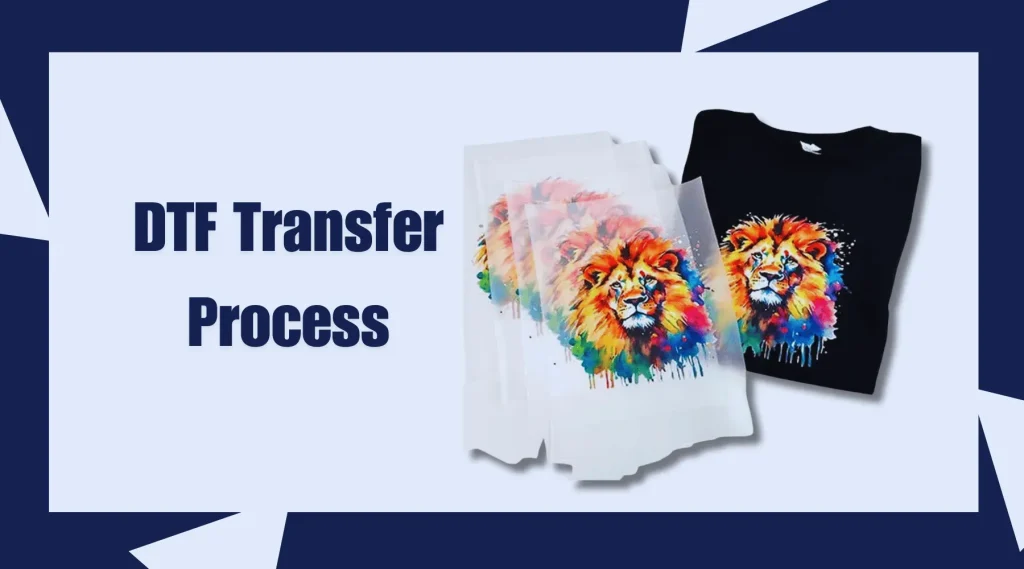
DTF transfers explained provide a practical overview of Direct-to-Film decoration, from film to fabric and back. You’ll learn how the process uses DTF film, DTF powder, and DTF printers to produce durable, vibrant prints. The approach blends the color depth of direct-to-film printing with a transfer step that works on a wide range of fabrics. A reliable DTF workflow and careful color management help ensure consistent results on cotton, blends, and synthetics. If you’re evaluating options for custom garments, this guide clarifies the roles of film, printers, powders, and the overall workflow.
In broader terms, this film-based garment decoration method uses a clear film layer, adhesive powder, and heat to bond artwork to textiles. Think of it as an ink-on-film workflow where the printed design is revealed on fabric after a controlled heat transfer. This approach supports vibrant color on dark fabrics and offers a flexible path for small runs or batches. By pairing compatible DTF printers with the right film, powders, and heat-press settings, manufacturers can scale production while preserving detail.
DTF Transfers Explained: A Practical Overview of Direct-to-Film Printing
DTF transfers explained begin with a simple concept: print a design onto a special film, dust it with an adhesive powder, cure the powder, and press the film onto fabric to create a durable, vibrant transfer. This workflow combines the color depth of inkjet printing with a transfer-ready backing that bonds to cotton, blends, and poly blends. Understanding the core steps—printing on film, powder application, curing, and heat transfer—helps you predict outcomes and troubleshoot early in the process.
Direct-to-film printing (DTF printing) stands out for its versatility across fabrics and colors, particularly on dark textiles where traditional methods struggle. By leveraging DTF film, adhesive powders, and a heat press, you can achieve bright, full-color designs with a softer hand feel than some other methods. This overview sets the stage for comparing DTF to alternatives like DTG and sublimation while highlighting how a well-managed DTF workflow leads to consistent results.
DTF Film and Adhesive Powder: Selecting Materials for Vibrant Results
DTF film is the canvas for your designs, engineered to hold printed imagery while interacting with the adhesive powder and the heat press. The film must balance clarity, tack retention, and easy release from fabric after transfer, ensuring that colors stay sharp and the texture remains comfortable. Pairing the right film with compatible adhesive powder is crucial for reliable bonding and wash durability.
DTF powder acts as the glue that binds the printed image to fabric when heat is applied. Powder particle size, melting behavior, and coating uniformity influence gloss, adhesion, and stiffness of the final print. Selecting powders and films often requires testing across fabrics to optimize pigment accuracy and ensure consistent results on cotton, blends, and synthetic materials alike.
DTF Printers and White Ink: Choosing a Device for Accurate Reproduction
DTF printers are the heart of the setup, and the white ink capability is essential for vibrant designs on dark fabrics. A capable printer should deliver consistent CMYK colors with reliable white backing, enabling true color reproduction on a range of materials. When evaluating options, look for reliable media handling, minimal downtime, and compatibility with the DTF film and adhesive powder you plan to use.
Beyond hardware, maintaining color accuracy relies on robust color management, ICC profiling, and routine maintenance. Regular nozzle checks, driver updates, and calibration routines help ensure that the printed images match proofs and customer expectations. A well-managed DTF workflow includes consistent printer settings, test prints, and documentation for repeatable results across production runs.
Direct-to-Film Printing Workflow: From Design to Transfer
Direct-to-film printing workflow starts with design preparation: ensure the artwork is appropriately sized, color-separated if needed, and optimized for film printing. When you move to the printing stage, use ICC profiles and color-management tools to preserve color intent, then print the image onto the DTF film with the white ink layer as needed.
The next steps—dusting with adhesive powder, curing, and transfer—are where consistency really matters. Evenly distributed powder that fully melts during curing creates a reliable bond with fabric, while careful inspection for residue prevents specks on the final garment. Following a repeatable sequence from design to press ensures predictable outcomes and smoother scaling in a DTF workflow.
Quality and Durability in DTF Transfers: Color Management and Fabric Compatibility
Quality in DTF transfers hinges on careful color management, calibrated workflows, and thoughtful fabric testing. Using ICC profiles and consistent white backing on dark fabrics helps preserve brightness and color fidelity across a range of textiles. The DTF film and adhesive powder must be matched to the fabric type to maintain wash durability and soft hand feel.
Fabric compatibility testing is a key quality control step. By running small trials on cotton, blends, and synthetics, you can anticipate adhesion, cracking, or color shift issues before committing to larger runs. With standardized settings and documented results, you’ll achieve repeatable quality that customers expect from a professional DTF transfer operation.
Troubleshooting, Maintenance, and Scaling DTF Transfers
Common challenges in the DTF workflow include inks not drying properly on film, uneven powder melting, and adhesion problems on darker fabrics. Start with verifying drying conditions, powder quality, and the cleanliness of the film surface, then adjust one variable at a time. Keeping a log of test results helps identify which combination of DTF film, powder, and printer settings yields the best outcomes.
Maintenance and scaling considerations are essential for ongoing success. Regular printer maintenance, proper film storage, careful powder handling, and timely heat-press calibration keep production steady as demand grows. Documented processes, batch-consistent materials, and a clear DTF workflow enable shops to ramp up capacity without sacrificing color quality or durability.
Frequently Asked Questions
What does ‘DTF transfers explained’ mean, and how does direct-to-film printing work?
DTF transfers explained refers to printing a design on a DTF film, dusting adhesive powder, curing, and transferring the image to fabric with heat. In direct-to-film printing terms, a white-ink capable DTF printer and a defined DTF workflow produce bright, durable prints on a wide range of fabrics, including darks.
What materials are required for DTF film transfers explained?
Key materials include DTF film, a white-ink DTF printer, pigment inks, adhesive powder, a curing/drying setup, a heat press, and compatible fabrics. The DTF workflow centers on printing on film, applying and curing powder, then transferring with heat.
How do DTF printers affect results in DTF transfers explained?
DTF printers with white ink capability enable true color on dark fabrics, strong color saturation, and reliable film handling. Regular color management and ICC profiling are essential to keep results consistent within the DTF workflow.
What is the essential DTF workflow for reliable transfers explained?
A practical DTF workflow includes design preparation, printing on DTF film (with white ink as needed), dusting adhesive powder, curing the powder, inspecting the film, transferring with a heat press, peeling as required, post-press curing, and a wash test.
What common challenges arise in DTF transfers explained, and how can I troubleshoot?
Common issues include ink not drying on film, powder not melting, poor adhesion on dark fabrics, cracking after washing, and color shifts. Fixes include adjusting drying/curing, checking powder quality and melting temps, ensuring sufficient white backing on dark fabrics, and calibrating the printer with ICC profiles while testing on fabric swatches.
Are DTF transfers explained durable across fabrics, and how can I ensure quality?
DTF transfers explained can be very durable with proper curing and heat-press parameters. To ensure quality, test on representative fabrics, use calibrated color management, and maintain consistent DTF film, adhesive powders, and printer maintenance as part of the DTF workflow.
| Topic | Key Points | Notes |
|---|---|---|
| DTF transfers explained (definition and purpose) | Printing on a special translucent film, applying adhesive powder, curing, then transferring the design to fabrics; produces bright, full-color images with good washfastness; offers advantages over DTG and sublimation for certain fabrics and workflows. | Works well on dark fabrics; keeps a simple supply chain for prints and reprints. |
| Core components of the DTF workflow | Materials (DTF film and adhesive powder), a compatible DTF printer (often with white ink), drying or curing equipment, a heat press, and color management. | Each step influences the final result; prepare for a repeatable workflow. |
| Materials you’ll need for DTF transfers explained | DTF film; DTF printer; Inks; Adhesive powder; Curing/drying equipment; Transfer equipment (heat press); Fabrics | Choose materials based on target fabrics, vibrancy, production workflow; budget and maintenance influence choices. |
| DTF film and adhesive powder—what makes them unique | Film holds the printed image and releases cleanly; adhesive powder melts to bond image to fabric; powder size, melting properties, and curing temperature are critical. | Expect testing and experimentation; adjust for brightness and durability. |
| The DTF printer—capabilities that matter | White ink capability; Accurate color reproduction; Reliable media handling; Maintenance ease; Color management with ICC profiles | Calibration and test prints improve outcomes; consider layering, pass counts, and drying times. |
| The essential DTF workflow (step-by-step) | Design prep; Print on DTF film; Dust with adhesive powder; Cure the powder; Inspect for residue; Transfer to fabric; Cold peel or warm peel; Post-press cure; Wash test | Baseline process; customize timings and temperatures per materials. |
| Common challenges and troubleshooting insights | Ink not drying on film; Powder not melting; Adhesive fails on darker fabrics; Cracking or peeling after washing; Color shift or dull colors | Solution approach: adjust drying, powder melting, white backing, calibration; keep a test log. |
| Quality, durability, and fabric considerations | Wash durability; Brightness/color fidelity; Soft hand feel; Fabric compatibility; Test prints on samples | Standardize settings and materials for consistent results. |
| Maintenance and practical tips for beginners | Regular printer maintenance; Film handling; Powder handling; Heat press care; Documentation/logs | Create a library of repeatable settings for fabrics and batches. |
| Cost, scalability, and deciding when to use DTF transfers explained | Start small; evaluate throughput, ink consumption, film waste, and maintenance costs; DTF offers favorable cost-per-unit for varied fabrics | Good for shops and custom orders requiring diverse fabrics. |
Summary
DTF transfers explained offers a practical road map to understanding the Direct-to-Film process—from materials and printers to a clear, repeatable workflow and troubleshooting considerations. This descriptive overview highlights how to select the right film, adhesive powder, and printer setup, and how to follow a consistent print–powder–cure–transfer workflow to achieve vibrant, durable designs on a wide range of fabrics. It also discusses common challenges, fabric considerations, and maintenance tips to help makers and shops produce professional results with confidence.