
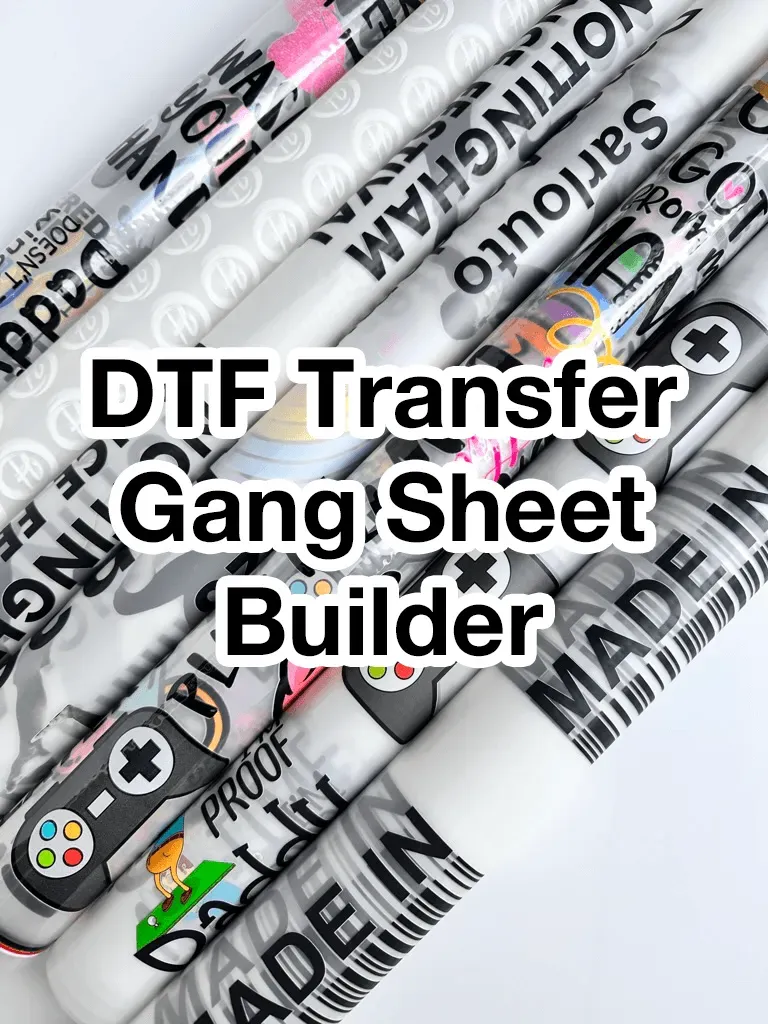
DTF Gangsheet Builder is a modern tool designed to accelerate your multi-design layouts for direct-to-film printing. By offering ready-made DTF gangsheet templates, it reduces setup time and keeps projects on brand. You can leverage templates for gang sheets to standardize margins, bleed, and alignment across runs, improving your DTF printing workflow. Smart shortcuts let you drag and drop designs, duplicate slots, and export gang sheets quickly, enabling rapid gang sheet creation. As a gang sheet builder, it reinforces a repeatable process that boosts productivity without sacrificing color control or output quality.
Viewed through an alternative lens, this solution is a gang-sheet layout utility that helps teams organize multiple designs on a single sheet with a precise grid. It emphasizes layout automation and template-driven grids, enabling studios to scale up projects without reworking each file. The approach supports a structured prepress workflow, with consistent spacing, predictable color handling, and smooth file exports compatible with RIPs. In practice, designers gain a common language of grids, templates, and batch processes that reduce errors and speed approvals. Ultimately, this tool complements existing printing pipelines, letting teams focus on creativity while boosting throughput and consistency.
DTF Gangsheet Builder: Templates for Rapid Layouts
Templates are the backbone of efficient gang sheet design. By starting with a structured grid, users can place multiple designs on a single sheet without guessing where each element belongs. The DTF Gangsheet Builder leverages ready-made layouts that align with typical garment print areas, margins, and bleed, turning what could be a tedious arrangement task into a repeatable, dependable process. In this context, “DTF gangsheet templates” become more than just samples; they are proven frameworks that curb drift and ensure consistency across runs, which is essential for brand fidelity and cost control.
As you adopt these templates, you’ll find that templates for gang sheets reduce setup time dramatically. You can tailor the grid to standard sizes—T-shirts, hoodies, and tote bags—without sacrificing alignment. The ability to save branded templates means you can rapidly adapt to new collections while preserving the essential spacing and color separation logic. In practice, this translates to faster go-to-market timelines and more predictable results, thanks to a standardized approach that keeps the workflow tight and repeatable.
DTF Gangsheet Templates: Streamlining the DTF Printing Workflow
The synergy between templates and the DTF printing workflow is where productivity truly shines. By embedding layout decisions into templates, the pre-press phase becomes a matter of slotting designs into predefined slots, checking spacing, and exporting in printer-ready formats. This reduces back-and-forth between design and production, ensuring a smoother transition from artwork approval to actual printing. The result is a more predictable production cadence and fewer errors that could cause costly reprints.
Templates designed for gang sheets support color management strategies and rip-ready exports that align with common DTF printers. As you place designs on a single sheet, you maintain consistent margins and bleed, which helps with registration during curing and finishing. The DTF Gangsheet Builder’s templates are, therefore, not just aesthetic aids; they are functional components of a robust DTF printing workflow that minimizes waste and maximizes throughput.
Templates for Gang Sheets: Grid-First Design for Consistency
A grid-first approach is the best way to ensure consistency when multiple designs share a common substrate. By anchoring each image to a fixed grid, you prevent overlap, maintain even spacing, and simplify quality checks before printing. The practical benefit is a reduction in misalignment issues that often arise when layouts are created ad hoc. With templates for gang sheets, you’ll find that even complex collections can be laid out quickly while preserving uniform color balance across all designs.
Moreover, a grid-based workflow supports scalable production. As you add more designs or switch between sizes, templates can be adjusted to preserve the core grid logic, preserving alignment from one sheet to the next. This approach harmonizes with color separations and ICC profiles, so each design retains its intended hues within a cohesive gang sheet, ultimately leading to a more reliable and repeatable output.
Shortcuts and Automation in the Gang Sheet Builder
Shortcuts in the gang sheet builder are designed to minimize repetitive actions. Quick-add slots, bulk alignment, batch export, and template-driven duplication speeds up the process from concept to print-ready files. When you combine shortcuts with templates, you gain a dramatic reduction in manual tweaking, letting your team focus on design quality rather than layout minutiae. Over a typical production day, these small gains accumulate into a significantly faster cycle time.
Automation also extends to file organization and export settings. A well-structured naming convention, coupled with batch exports, ensures that each gang sheet aligns with the printer’s RIP requirements. The combination of shortcuts and automation reduces the chance of human error, helping you maintain consistency across large runs and enabling rapid gang sheet creation without sacrificing accuracy.
Color Control Across Gang Sheets: Consistent Hues and Proofing
Color management becomes more complex when multiple designs appear on a single sheet. The DTF Gangsheet Builder supports integrated color workflows, allowing you to preview color separations and verify how hues will translate from screen to substrate. By tying color checks to each gang sheet template, you minimize color drift and reduce the likelihood of reprints. This is especially important when you’re coordinating several designs with overlapping color families.
A centralized approach to color management—using ICC profiles, standardized color separations, and consistent export formats—helps ensure predictable results. When designs share the same palette, you can maintain balance across the entire gang sheet, keeping skin tones, brights, and neutrals harmonious. Practically, this means fewer surprises at the press and a smoother DTF printing workflow from layout to curing.
Export, Naming, and RIP-Ready Output for Rapid Gang Sheet Creation
Efficient export and clear file naming are essential for rapid gang sheet creation. The builder supports formats compatible with most RIPs and printers, with metadata and color profiles embedded for seamless workflow integration. A logical naming scheme—project-date-size-designs—helps teams locate assets quickly, reduces confusion during production shifts, and supports version control for iterative campaigns.
Beyond naming, a well-structured export process ensures that each gang sheet is ready to print without additional adjustments. This accelerates the pre-press stage and minimizes downtime caused by misformatted files. When your templates harmonize with your vendor’s RIP, you can move from artwork approval to production in fewer steps, delivering consistent results across multiple SKUs and orders.
Integrating the DTF Gangsheet Builder into the Full DTF Printing Workflow
Incorporating the DTF Gangsheet Builder into your broader production pipeline helps unify design, layout, and print execution. The builder’s templates inform the layout phase, while its shortcuts and export options streamline the prep and print phases. By aligning with the DTF printing workflow, you create a cohesive system where art, layout, color management, and physical output cohere rather than collide.
This integration reduces the cognitive load on operators and designers alike. With a consistent framework, new staff can ramp up quickly, and experienced teams can scale their output without compromising quality. The end result is a more predictable production rhythm, shorter lead times, and a workflow that can adapt to changing demand—whether you’re running small batch drops or high-volume campaigns.
Real-World Outcomes: Case Studies of Efficient Gang Sheet Use
Real-world use shows how templates and shortcuts translate into tangible gains. A small apparel brand, for example, can slot 6–12 designs on a single sheet and export a clean, printer-ready set in minutes, not hours. The combined effect of templates for gang sheets and a streamlined DTF printing workflow accelerates product launches, improves on-time delivery, and reduces waste due to misalignment.
In another scenario, a print shop with fluctuating volumes benefits from standardized gang sheet templates that shorten training time, minimize error rates, and provide a repeatable baseline for quality. The result is a steadier production cadence, better throughput, and the capability to scale operations without sacrificing the precision that customers expect.
Common Pitfalls and How to Avoid Them in Gang Sheet Layouts
Even with templates, inconsistencies can creep in. Common pitfalls include drifting margins, misaligned grids, insufficient bleed, and chaotic file naming. These issues can cause cropping, color mismatch, or misprints when the gang sheet is sent to the printer. Proactively maintaining fixed grid anchors, validating layouts in preview modes, and applying consistent bleed parameters help you keep designs on track.
Another frequent problem is overcomplicating templates. A lean set of robust templates tends to perform better than an overly detailed system that confuses operators. Start with a core grid and a limited number of slots, then expand only as needed. Documenting your workflow and maintaining a changelog for template updates can prevent drift in output quality over time.
Future-Proofing Your DTF Studio with a Flexible Gang Sheet Builder
A flexible gang sheet builder is a strategic asset as technology and print demands evolve. The ability to adapt templates, incorporate new color management options, and adjust for different printer profiles keeps your process resilient. Investing in a system that supports rapid gang sheet creation, easy template customization, and scalable exports positions your business to respond quickly to trends and client requirements.
Looking ahead, the focus is on maintaining consistency across an expanding range of designs and substrates. By embracing a builder that emphasizes grid integrity, reliable shortcuts, and robust export options, you’ll sustain a high level of quality while keeping throughput in check. The result is a future-proof DTF workflow that remains efficient as you grow.
Frequently Asked Questions
What is the DTF Gangsheet Builder and how does it fit into the DTF printing workflow?
The DTF Gangsheet Builder is a layout and automation tool that helps you create gang sheets for DTF printing. It uses templates for gang sheets and built-in shortcuts to standardize grids, margins, and color setup, speeding up production. This approach integrates with the DTF printing workflow to deliver faster, more reliable output while reducing manual layout work.
How do templates for gang sheets in the DTF Gangsheet Builder accelerate production?
Templates for gang sheets provide a proven grid and alignment guides you can reuse. By starting from these templates (DTF gangsheet templates) and tailoring them to each job, you cut setup time and enable rapid gang sheet creation within the DTF printing workflow.
Can the DTF Gangsheet Builder integrate with my RIPs and export formats in the DTF printing workflow?
Yes. The DTF Gangsheet Builder is designed to fit typical DTF printing workflows, with export formats compatible with common RIPs and color-management steps. It helps ensure consistent layouts, proper color separation, and reliable output when sending gang sheets to the printer.
What are best practices for using templates for gang sheets with the DTF Gangsheet Builder?
Best practices include starting with garment-size templates, preserving a consistent grid, and accounting for bleed. Keep a lean library of templates (templates for gang sheets) and always preview layouts to validate accuracy before print, maintaining a reliable DTF Gangsheet Builder workflow.
How do shortcuts in the DTF Gangsheet Builder enable rapid gang sheet creation?
Shortcuts in the DTF Gangsheet Builder let you quickly add, duplicate, align, and batch export designs, significantly speeding up rapid gang sheet creation. They reduce repetitive steps and help maintain even spacing, improving overall DTF printing workflow efficiency.
What common pitfalls should I avoid when using the DTF Gangsheet Builder?
Common pitfalls include drift in margins, missing bleed, messy file naming, and overcomplicating templates. Avoid these by using fixed grid anchors, performing test prints, and maintaining a lean set of templates for gang sheets within the DTF Gangsheet Builder.
| Aspect | Summary | Benefits / Impact |
|---|---|---|
| Gang sheet concept | A single sheet carries multiple designs in a structured grid, maximizing material use and streamlining pre-press. | Reduces waste, lowers cost per unit, and improves color management through standardized layouts. |
| DTF Gangsheet Builder purpose | Automates gang sheet creation with templates, shortcuts, and an organized workflow. | Faster setup, repeatable layouts, fewer errors. |
| Templates | Ready-made templates provide a proven grid, margins, and alignment guides aligned to brand dimensions. | Consistent outputs and quicker project setup. |
| Shortcuts | Quick-add slots, bulk alignment, and batch export minimize manual steps. | Significant time savings over production cycles. |
| Color management | Integrated color control to preserve hues across designs on a gang sheet. | Fewer reprints, predictable colors, smoother workflow. |
| File organization and export | Clear file naming, grouping of designs, and RIP-ready export formats. | Reliable exports, easier collaboration. |
| Workflow integration | Fits design, layout, prep, print, and post-press phases into a cohesive process. | End-to-end efficiency and consistency. |
| Practical tips | Use proven templates, customize thoughtfully, leverage shortcuts, validate before print, document workflow. | Higher accuracy, fewer mistakes, smoother handoffs. |
| Real-world outcomes | Faster turnarounds, scalable production, and improved go-to-market times. | Increased capacity, consistent quality, happier customers. |
| Common pitfalls | Inconsistent margins, bleed issues, naming chaos, overcomplicated templates. | Guidance on avoiding issues; improved reliability. |
Summary
Conclusion snippet will follow in plain text below.